Local AI
Run a model bigger than your VRAM: MoE offload and the memory worth buying
Choose RAM, VRAM or NVMe for local MoE models. Learn llama.cpp expert offload, the tmpfs catch and which memory upgrade fits your workload.
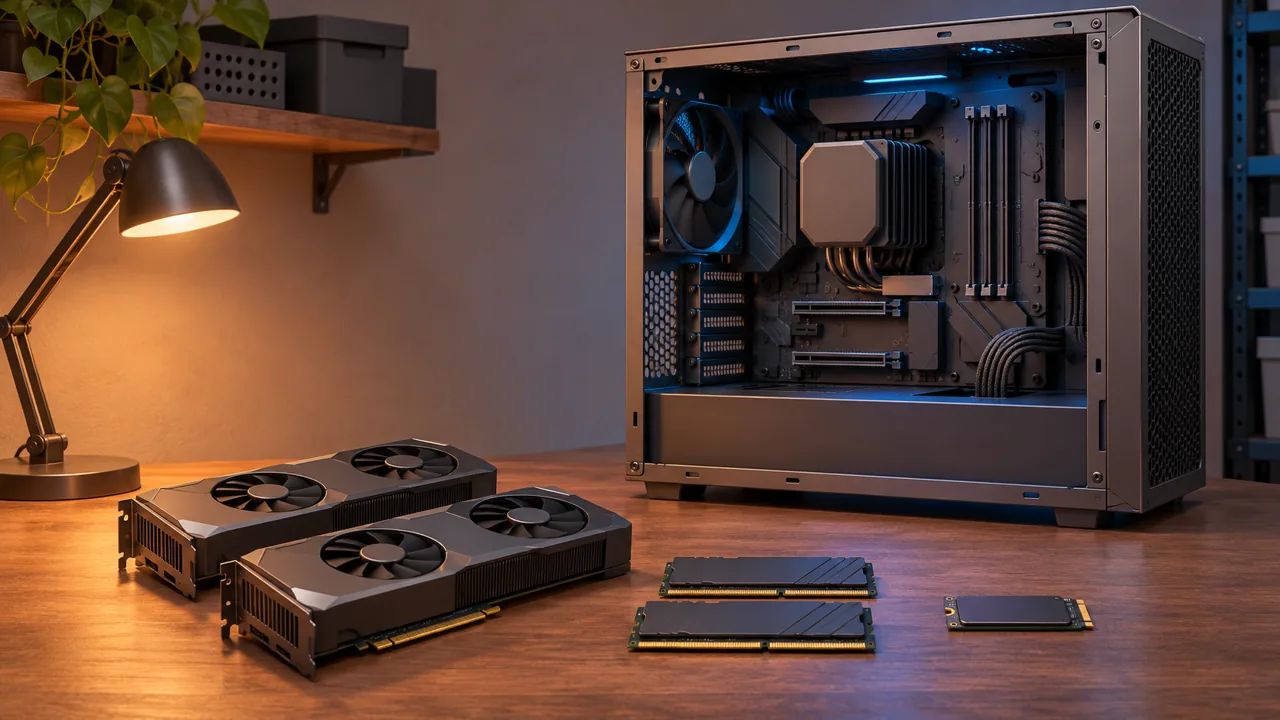
OUR PICKS / YOUR SETUP
Find your fit.
Buy system RAM for routed-expert capacity, VRAM for resident hot work, and NVMe for model files. A RAM disk uses the RAM you already own.
- Expert selection16 of 896 routed
- RAM shortlist2×48GB DDR5
- GPU routes16GB or 24GB
We earn a commission if you buy through our links — it doesn’t change our picks. How we make money → As an Amazon Associate I earn from qualifying purchases.
YOUR NEXT PROJECT / THE GEAR
Parts list
- G.SKILL Flare X5 96GB DDR5-5600 kitCheck price on Amazon
Choose this matched 2×48GB kit when its exact part number matches your board and CPU support list.
- ZOTAC RTX 3090 Trinity OC 24 GB — RenewedCheck price on Amazon
Choose for workloads needing more than 16 GB on one NVIDIA card.
Buy more system RAM when routed experts are the part that will not fit. Buy more VRAM when the work you need every token—or a dense model and its context—is spilling out. Mixture-of-experts models make that distinction worth real hardware. A giant parameter count no longer means every weight has to sit on your graphics card, but the rest of the model still needs a home.
Specs and behaviour from the makers and project docs; the Optane result is the builder’s own measurement.
Quick verdict: buy the missing tier
- More room for CPU-side experts: a matched 96GB DDR5 kit. Start with G.SKILL Flare X5 for an EXPO-capable platform or Kingston FURY Renegade for an XMP shortlist.
- More GPU-resident room: the ZOTAC RTX 3090 Trinity OC Renewed gives you 24GB on one card. Plan its power, cooling and condition terms as part of the purchase.
- A 16GB desktop or slim workstation: ASUS Dual RTX 5060 Ti for a conventional GPU box; PNY RTX 2000 Ada for a low-profile, 70W card.
- Somewhere to keep the model: Samsung 990 PRO 2TB for a compatible NVMe slot. Storage capacity gets the files onto the machine; RAM and VRAM determine how much stays close to the compute.
Our whole-machine local-LLM guide covers GPU desktops versus unified-memory machines. This guide answers the next question: which bits can you move out of VRAM without moving the whole job off the GPU?
What actually lives where?
A dense model uses its dense weights for every token. An MoE replaces some feed-forward work with a router choosing among many expert networks. Kimi, DeepSeek, Qwen3-MoE and GPT-OSS belong to this broad family, with different layouts and runtime support.
For a hybrid setup, prioritise GPU space for attention, dense feed-forward layers, shared experts, the KV cache and compute buffers. Those are the frequently used components you want close to GPU compute. Keep the bulky routed-expert tensors on the CPU side when they exceed the remaining VRAM. Shared experts run alongside the selected routed experts; “shared” does not mean they are cold storage.
The important distinction is placement versus execution. With llama.cpp’s CPU expert placement, selected expert work can execute on the CPU, reading system memory, while the GPU handles its assigned work. You exchange intermediate activations between devices. You do not automatically copy every selected expert to the GPU for every token. Current llama.cpp also documents an optional GPU expert cache that can upload experts on misses; that is a separate mechanism.
The project’s runtime documentation is the reference for those controls. Start with the simple CPU-expert route, then decide whether caching earns its VRAM.
The big-model arithmetic: 2.8T total, 104B active
The Kimi K3 model card lists 2.8 trillion total parameters, 104 billion activated parameters, 896 routed experts, 16 selected routed experts per token and two shared experts.
Here is the arithmetic, using decimal GB and a deliberately simple four-bit weight assumption:
| Question | Calculation | Result |
|---|---|---|
| How much of the routed-expert pool is selected? | 16 ÷ 896 × 100 | 1.79% |
| How much of the total parameter count is activated? | 104 ÷ 2,800 × 100 | 3.71% |
| Raw storage for all weights at four bits each | 2,800 billion × 4 ÷ 8 | 1,400GB |
| Four-bit byte equivalent of the active parameter count | 104 billion × 4 ÷ 8 | 52GB |
The first two percentages have different denominators. The shared experts, attention and other active components help explain why “16 of 896” is not the same fraction as “104B of 2.8T”. Add the two shared experts to the execution picture, not to the count of selected routed experts.
Add room for quantisation scales, metadata, runtime buffers and context memory. The 52GB figure expresses the active parameter count as four-bit bytes; reuse, caching, tensor placement and quantisation determine the traffic.
Sparsity saves repeated work: the router selects a fraction of the expert pool for that token. It does not delete the other experts. A later token can choose different ones, so their weights must remain accessible somewhere. That is the trick—and the memory bill.
The memory ladder, with the tmpfs catch
Think VRAM → system DDR5 → explicitly staged RAM-backed files → NVMe-backed mmap → SATA-backed mmap as a placement checklist. The middle two use the same physical RAM; tmpfs is not an extra capacity or bandwidth tier.
| Tier | What it buys you | Where you hit the wall |
|---|---|---|
| VRAM | GPU-local weights, context state and buffers | Model placement plus KV cache exceeds the card’s capacity |
| System DDR5 | CPU-resident routed experts and host-side work | Available capacity, memory channels and CPU expert throughput |
| tmpfs / RAM disk | Explicitly stage selected files in RAM instead of relying on slower backing storage | It consumes the same RAM the application needs; tmpfs can swap |
| NVMe with mmap | Large model files and file-backed access, with hot pages cached in RAM | Repeated storage reads when the working set exceeds available RAM |
| SATA with mmap | Reuse existing model storage or keep an archive | Storage becomes a generation bottleneck if missing pages keep coming from it |
A memory-mapped NVMe file can already have its active pages in the OS cache, as the Linux page-cache overview explains. Copying that file into tmpfs does not make DRAM faster. It can help when it changes which data stays in RAM instead of on a slower backing tier; it can hurt when the copy crowds out useful memory.
The Linux tmpfs documentation explains its virtual-memory and swap behaviour. Count a staged file against your RAM budget, keep its original on persistent storage, and watch for swapping. A “RAM drive” backed by busy swap has missed the point rather spectacularly.
The Optane example, credited properly
That is a much larger memory machine than a 96GB desktop. Optane PMem in this build is also different from an ordinary NVMe SSD. Take the useful lesson—placement changes the bottleneck—rather than treating a pair of graphics cards as the whole recipe.
DDR5: buy capacity before chasing a profile
These are matched desktop UDIMM kits. Choose a kit and DIMM configuration on your board’s support list for your CPU and BIOS, then stability-test its profile. The 96GB DDR5 guide covers that platform work, including why desktop DIMMs do not fit SO-DIMM mini PCs.
| Pick by fit | Exact kit | Maker-rated profile |
|---|---|---|
| EXPO-capable platform: G.SKILL Flare X5 | F5-5600J4040D48GX2-FX5, 2×48GB | DDR5-5600, CL40-40-40-89, 1.25V; EXPO and XMP |
| XMP platform: Kingston FURY Renegade | KF560C32RSK2-96, 2×48GB | DDR5-6000, CL32-38-38, 1.35V; XMP |
G.SKILL’s specification and Kingston’s datasheet supply those profiles. On an illustrative two-channel, 64-bit-per-channel desktop, the theoretical transfer ceilings are:
- 5,600 million transfers/sec × 16 bytes = 89.6GB/sec.
- 6,000 million transfers/sec × 16 bytes = 96GB/sec.
That gives the faster profile 7.14% more theoretical transfer bandwidth. Start with a stable 96GB configuration, then compare profiles on your workload.
For an illustrative host budget, 96GiB installed − 16GiB reserved for the OS and runtime = 80GiB for host-resident weights. That budget must include any tmpfs copy; it is not enough for the builder’s 865GB model. For scale, raw four-bit weights are 16GB for 32B parameters or 35GB for 70B, before overhead, and MoE capacity is based on total parameters—not only the active count.
Check the G.SKILL 96GB kit on Amazon · Check the Kingston 96GB kit on Amazon.
VRAM: three different fits
| Pick | Why choose it here? | Build requirement |
|---|---|---|
| ZOTAC RTX 3090 Trinity OC 24GB Renewed | More resident model room on one GPU | A case, PSU and cooling plan for this full-size card; use the selected Renewed offer’s terms |
| ASUS Dual RTX 5060 Ti 16GB | A conventional desktop CUDA route for workloads fitting its memory | Leave space for weights, context and runtime buffers within 16GB |
| PNY RTX 2000 Ada 16GB | A low-profile, dual-slot card with a maker-rated 70W maximum | Match bracket, slot clearance and workstation airflow |
The GPU buying guide compares full-size cards; the low-profile guide covers slim machines. The PNY’s attraction is its physical and power fit, not more memory than the ASUS.
Two 24GB cards provide 48GB aggregate VRAM, but the runtime has to divide work and state between them. They do not become one contiguous 48GB card. Use the recorded two-GPU build for the slot and workload record, and the two-GPU PSU guide before adding another card.
Check the ZOTAC RTX 3090 Renewed on Amazon · Check the ASUS 16GB card on Amazon · Check the PNY low-profile card on Amazon.
NVMe: a home for the files, not pretend VRAM
Samsung 990 PRO 2TB is the storage pick for a compatible PCIe 4.0 ×4 M.2 2280 slot. Put model files here, leave free space for the conversions you actually keep, and use mmap where appropriate. Buy a larger SSD for more model files and more RAM to keep their working data resident.
The NVMe buying guide covers the drive’s app-pool fit and cooling. For inference, compare a cold load with a warmed run. If storage activity stays high during generation, the backing tier is still doing work that RAM could avoid.
Check the Samsung 990 PRO 2TB on Amazon.
Practical llama.cpp levers
Use a supported MoE GGUF and read your installed build’s --help. This single-GPU starting example keeps routed-expert weights from the first eight layers on the CPU, while requesting GPU placement for the remaining eligible work:
llama-cli -m model.gguf \
  --n-gpu-layers all --n-cpu-moe 8 \
  --ctx-size 4096 -n 128 \
  -p "Explain why a backup needs a restore test."
Increase the CPU-expert layer count when allocation fails; reduce it when more experts fit in VRAM. Use --cpu-moe to place all routed-expert weights on the CPU. The count refers to layers, not the number of selected experts per token.
For tensor-level control, --override-tensor accepts a name pattern and buffer type. The project’s expert-pattern form is:
--override-tensor '\.ffn_(up|down|gate|gate_up)_(ch|)exps=CPU'Use that as an alternative to the broad CPU-expert option, and inspect the allocation log for the model’s actual tensors. Keep KV offload enabled while attention is on the GPU; context and concurrent requests still consume memory. Our context-length guide explains that bill.
For two GPUs, --split-mode layer --tensor-split 1,1 requests an equal proportion split; adjust proportions for unequal cards and available memory. Quantisation is the other big lever: choose a supported GGUF that fits the available tiers, then compare answer quality as well as speed. The four-bit arithmetic above is not a file-size prediction for every Q4 format.
Current builds also document --moe-cache-mib for an optional GPU cache and --moe-cache-cpu-share for CPU handling of cache misses. Start without that extra tuning. First record the build version, allocation log, model file, context and prompt; then change one placement setting and compare prompt processing, generation, RAM use and storage activity. Our tokens/sec versus response-time guide keeps those timings separate.
The buying decision
Buy more system RAM when a supported MoE’s CPU-side experts exceed available RAM and the next capacity step holds the working set. Buy another GPU when keeping a dense model resident—or making room for attention and long-context state—is the actual constraint, and the runtime supports your split. Use a smaller model when the larger one lives on a busy backing drive or takes longer to answer than the job can tolerate.
The win is not the largest model name on a screenshot. It is the model that fits your memory plan and finishes useful work. Start with the local AI hub if you are still choosing the machine; buy the missing tier once you know which one it is.
Sources & methodology
Where these facts come from.
- Kimi K3 architecture model card · checked November 21, 2026
- llama.cpp runtime flags and multi-GPU placement · checked November 21, 2026
- Linux tmpfs memory and swap behaviour · checked November 21, 2026
- Linux page cache and repeated file reads · checked November 21, 2026
- Linux mmap file-backed mappings · checked November 21, 2026
- G.SKILL exact matched kit specifications · checked November 21, 2026
- Kingston exact 96GB kit datasheet · checked November 21, 2026
- ASUS exact 16GB card specifications · checked November 21, 2026
- PNY 16GB low-profile card and 70W rating · checked November 21, 2026
- NVIDIA RTX 3090 memory specifications · checked November 21, 2026
- Samsung 990 PRO datasheet · checked November 21, 2026
- Original builder report: Optane plus two 3090s and tmpfs · checked November 21, 2026
Source dates are listed above.
As an Amazon Associate I earn from qualifying purchases.
Parts from this article
The gear, on Amazon
The models recommended above, with the specifications that matter for your choice.
EXPO-capable shortlist
G.SKILL Flare X5 96GB DDR5-5600 kit
Choose this matched 2×48GB kit when its exact part number matches your board and CPU support list.
XMP shortlist
Kingston FURY Renegade 96GB DDR5-6000 kit
Choose this matched 2×48GB kit for an XMP-capable platform with room for a larger local model.
24 GB NVIDIA option
ZOTAC RTX 3090 Trinity OC 24 GB — Renewed
Choose for workloads needing more than 16 GB on one NVIDIA card.
More headroom for a 14B quantized-model target
ASUS Dual RTX 5060 Ti OC 16 GB (DUAL-RTX5060TI-O16G)
Choose when your model and context need more room than 12 GB.
More model room
PNY NVIDIA RTX 2000 Ada 16GB (VCNRTX2000ADA-PB)
Fit 16GB of VRAM into a low-profile, dual-slot workstation without an auxiliary GPU power cable.
App / VM pool
Samsung 990 PRO 2 TB (MZ-V9P2T0B/AM)
Use this 2 TB, no-heatsink NVMe drive in a compatible slot or enclosure.
Prepared by Racks & Watts.